A trend in amateur radio is network connected radios. New radios from companies such as Flex Radio, Icom, and Elecraft connect directly to your network and allow you to operate remotely from anywhere you have an Internet connection.
This enables two primary things that didn’t used to be feasible:
Remote Radio
You can now put your radio somewhere other than your normal operating position. For example, deploying your radio to an RF quiet environment in a remote location, or on a hill-top, or similar. You can still operate from the comfort of your own shack, but your radio is in a more favorable RF environment that may not be favorable for you, the operator.
Remote Operator
The opposite is also true: You can now operate your radio back at your shack from anywhere you have a network connection. For example: in a hotel room while on a trip, your friend’s house to show them amateur radio, or from your phone while waiting in the parking lot for your partner to finish up their shopping (my personal favorite).
Of course, both of these can be true at the same time.
Disadvantages to Remote Operating
I don’t know about you, but none of my laptops, phones, or tablets have a port for me to connect my morse code paddles, or a PTT foot switch. Software such as SmartSDR or K4-Control have great user interfaces for most things. But tactile response is not one of them.
What we need is a device that connects to morse code paddles on one side, and our computer/phone/tablet on the other.
Enter HaliKey
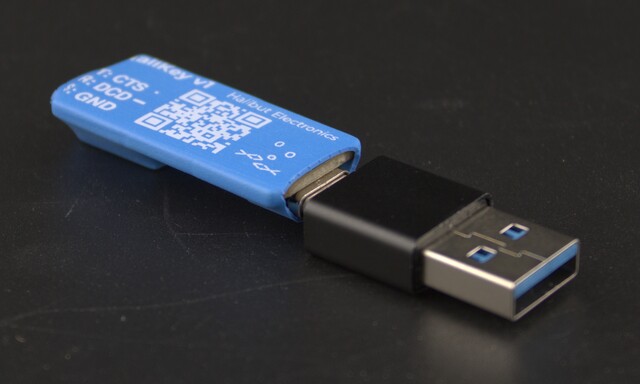
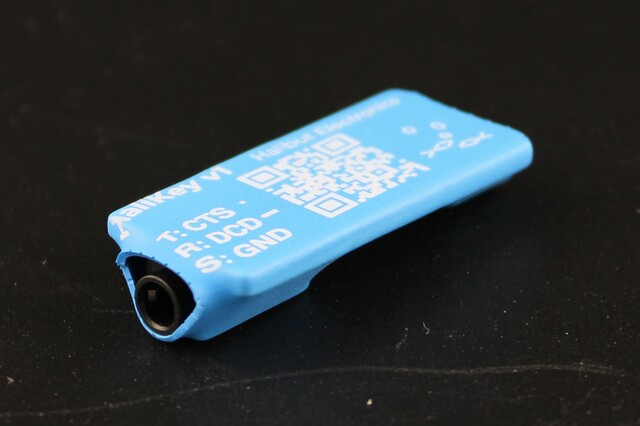
HaliKey is a device that bridges morse code paddles and/or a physical PTT switch on one side, and USB on the other. It allows you to use your favorite morse paddles while operating remotely, instead of changing how you send morse code.
- HaliKey is small. It measures 1.5 x 0.75 x 0.5 inches (39 x 19 x 12mm), and 0.25 oz (8g). It’s easy to keep in your laptop bag to have with you wherever you go.
- HaliKey is easy to use. It has a standard 3.5mm TRS socket to connect to your morse keys and/or PTT. USB-C, and standards based protocols ensure compatibility with every OS platform.
- HaliKey works with many different software packages, such as NetKeyer [link], all the Ham Radio Apps from Marcus Roskosch [link, spell check his last name], and many others. See [link to product page] for a full list of known supported software.
HaliKey comes in two variants:
- HaliKey MIDI: Works with most modern software, on laptops, phones, and tablets.
- HaliKey Serial: Supports legacy applications that use RS232 flow control signals CTS and DSR. (iOS devices don’t support serial ports, so HaliKey Serial can’t work on Apple phones or tablets.)
How does HaliKey Work?
Both HaliKey MIDI and HaliKey Serial have the same interface to your morse code paddles or PTT switch: A 3.5mm TRS socket. Connect the left paddle, straight key, or your PTT, between the Tip and Sleeve. Connect the right paddle between Ring and Sleeve.
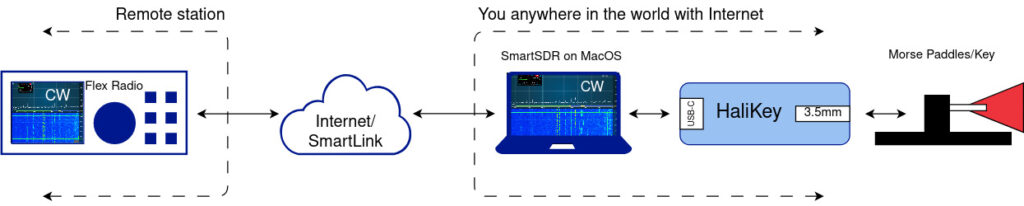
HaliKey chokes off and shunts to ground any RF on the 3.5mm socket, performs debounce to prevent double/tripple presses, then sends those signals to the computer.
HaliKey Serial connects those signals to an FTDI serial port, Tip to CTS, Ring to DSR.
HaliKey MIDI connects those signals to a microcontroller that sends MIDI events: Note 20 On/Off for Tip, Note 21 On/Off for Ring. (See more details of the MoMIDI protocol: https://github.com/NetKeyer/MoMIDI-Spec)
Software
What software you use depends largely on the radio being operated.
- Item 1
- Item 2
- Item 3
- Item 4